|
| |
This page includes a few sample screen shots of the program in use. Download
your own free demo
now to try it out.
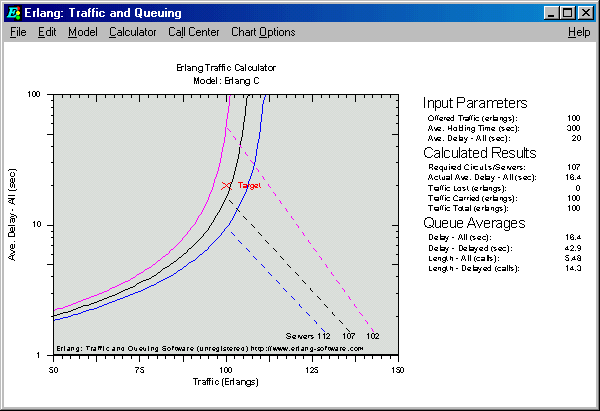
Every model includes a
CHART function that produces a Sensitivity Analysis chart, as shown.
Perfect to Print, or Cut & Paste into your
report.
|
Click to see full
scale |
Click to see full
scale |
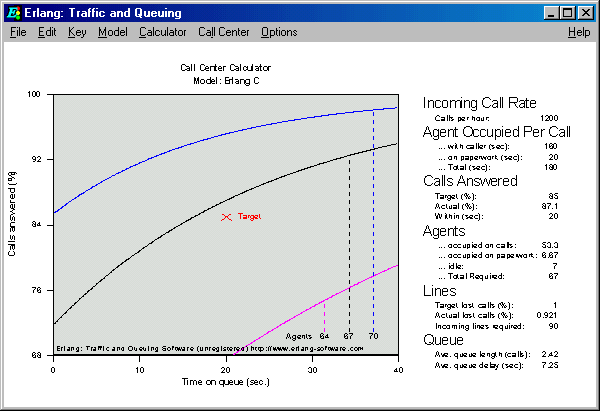
The Call Center tool plots the results,
and records input parameters.
Perfect to Print, or Cut & Paste into your
report. |
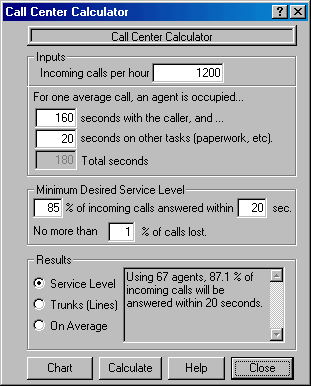
The Call Center Tool uses this easy to follow
input screen. Based on simple inputs, calculates:
- Number of Agents (Phone Operators), and
- Number of incoming phone lines
The Chart button
charts the results for you (see above). |
 |
Click to see full scale |
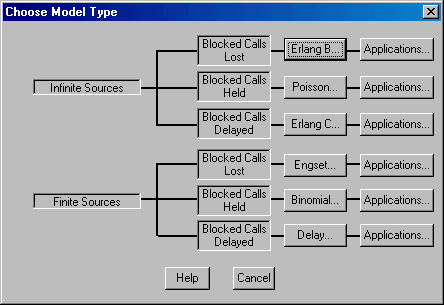
This screen makes it easy to choose the
correct model to solve your problem.
First: You decide if the caller population
is FINITE (a known number of potential callers, or INFINITE (a large, immeasurable
number of callers).
Next: You decide what callers do if they
don't get serviced immediately.
|
|
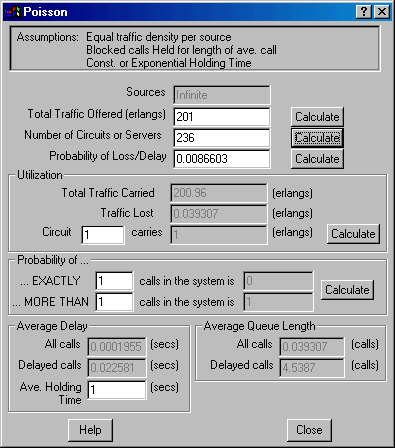
This is an example of the 6 model
screens. This one is for the Poisson model. All data entry screens are
similar: Input parameters are at the top, and pressing the CALCULATE
buttons completes the rest of the results. |
Click to see full scale |
Click to see full scale |
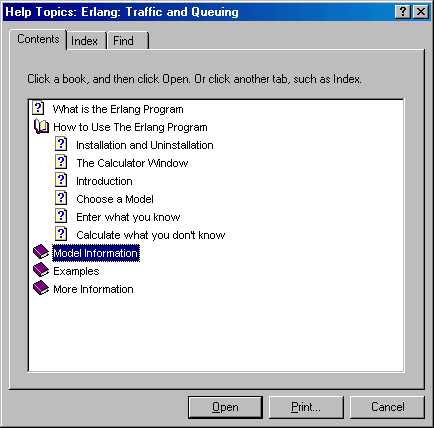
The program has a COMPLETE help file.
There are worked EXAMPLES, and full details on each model. |
|